The Best Free Adobe Illustrator Alternatives 2026: Ditching the Subscription Tax

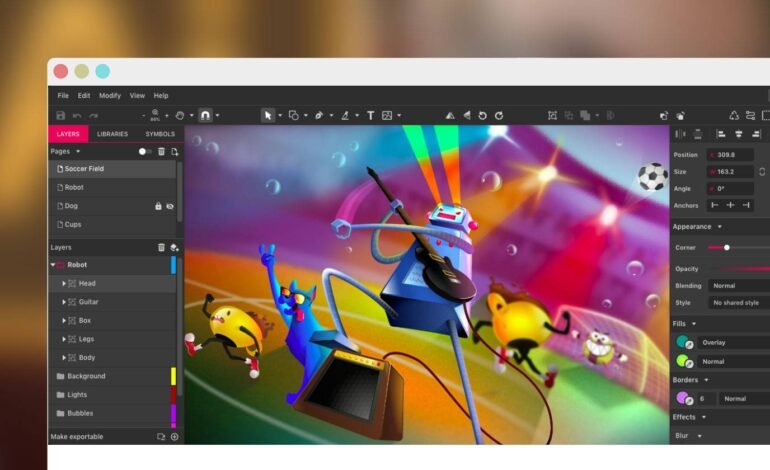
For decades, Adobe Illustrator has held a near-monopoly on vector graphics. If you needed a logo, crisp typography, or scalable web assets, the .ai format was the default language. But over the last few years, Adobe’s mounting subscription fees and aggressive cloud-data policies have pushed independent designers, small business owners, and hobbyists to a breaking point.
The good news? You no longer have to pay a perpetual monthly fee just to manipulate anchor points and bezier curves. The open-source community and independent developers have built highly capable alternatives that cost absolutely nothing.
Whether you need a heavy-duty desktop tool for print layouts or a quick, web-based app to tweak a social media asset, we have vetted the options to find the ones actually worth your time.
The Vector Landscape: Desktop vs. Browser-Based
When moving away from Adobe, your first decision is choosing between a standalone desktop program or a browser-based app. Both have distinct trade-offs depending on your workflow and hardware.
| Category | The Upside | The Downside | Who It’s For |
| Open-Source Desktop | Works offline, total file privacy, massive feature sets. | Steeper learning curve, older-looking interfaces. | Print designers, complex illustrators. |
| Browser-Based (Freemium) | No installation, works on any machine (even Chromebooks), easy sharing. | Requires internet, free tiers often limit exports, cloud privacy concerns. | Marketing teams, UI/UX beginners, quick edits. |
1. Inkscape: The Ultimate Heavyweight
If you want a true, feature-for-feature replacement for Illustrator, Inkscape is the undisputed choice. It is a completely free, open-source program available for Windows, Mac, and Linux.
Features and Capabilities
Inkscape builds everything around SVG (Scalable Vector Graphics) as its native format. This means your files are inherently clean and web-ready. It includes:
-
Precise node editing and vector path manipulation.
-
Boolean operations to easily merge, subtract, or cut shapes apart.
-
An excellent built-in image tracer that converts pixel-based images into clean vectors.
-
Full support for multi-page documents (a massive plus for layout work).
The Real-World Experience
Inkscape’s biggest strength is its raw power, but its interface can be intimidating. While recent updates have modernized the look, it still feels a bit clinical compared to Adobe’s slick environment.
The keyboard shortcuts are different, and certain tasks—like adjusting a gradient—take a few extra clicks. However, once your muscle memory adapts, it handles massive print files and intricate geometric designs like a pro.
-
The Verdict: The absolute best choice for designers who need maximum power and local file control.
-
The Catch: Performance can occasionally stutter on macOS compared to Windows or Linux.
2. Vector (by Pixlr): Quick, Browser-Based Edits
If Inkscape feels like overkill and you just want to jump in and start drawing immediately, web-based tools like Vector are a refreshing change of pace.
Streamlined Editing
Vector strips away the confusing prepress and print settings to focus purely on digital assets. The workspace is clean and minimal, giving you exactly what you need to draw shapes, combine paths, and export quick SVGs or PNGs.
The Real-World Experience
Imagine a client sends over a logo file that just needs a quick text adjustment, or you need to build a simple icon for a website. Opening a massive desktop app for a two-minute job is annoying. Vector shines here. It loads instantly in a tab, runs smoothly on low-spec laptops, and lets you share a live link with a client for immediate feedback.
-
The Verdict: Perfect for social media managers, web developers, and casual creators.
-
The Catch: You won’t find advanced typography tools, mesh gradients, or print-focused color profiles.
3. Boxy SVG: Built for Clean Web Code
Boxy SVG is a highly focused tool designed to strip away the traditional clutter of design apps. It treats the SVG file format as absolute law, making it an incredible asset for web developers.
Why It’s Different
Traditional design programs often inject a ton of hidden, proprietary code into your saved files, making them bulky. Boxy SVG does the opposite. The visual tool maps directly to clean, semantic web code. When you draw a square on the screen, the app generates clean XML code in the background.
The Interface
The UI is incredibly clean. Panels stay tucked away at the sides, and the canvas is completely open. It features an intuitive pen tool, smooth transforming, and direct integration with Google Fonts to make typographic web layouts a breeze.
-
The Verdict: The go-to tool for web developers and UI designers who care about file size and clean code.
-
The Catch: The free web version is excellent, but desktop versions or advanced features require small individual purchases.
Know Your Goal: Vector vs. Raster Workflows
A common trap for beginners is using a vector tool when they actually want to paint or modify photos. Make sure you are picking the right tool for the job.
| If Your Project Involves… | You Need a… | Best Free Options |
| Logos, icons, typography, scalable graphics, and layout design. | Vector Editor | Inkscape, Boxy SVG, Vector |
| Digital painting, photo editing, textures, and rich brushwork. | Raster Editor | Krita, GIMP |
Pro Tip: Krita is primarily a digital painting app, but it includes surprisingly robust vector layers. If you want to sketch comic art with smooth vector outlines, Krita might actually fit your workflow better than a pure vector program.
Navigating the Trade-offs of Leaving Adobe
While these tools cost nothing, transitioning away from the industry standard does require adjusting your expectations in two key areas.
1. Sharing Files with Adobe Users
The design world relies heavily on .ai and .eps formats. While Inkscape opens these files remarkably well, it can struggle to perfectly translate proprietary Adobe effects, complex gradients, or smart objects. If you are constantly passing raw files back and forth with an agency that uses Adobe, you will hit minor speed bumps.
-
The Fix: Move your collaborative files to high-fidelity PDFs or uncompressed SVGs.
2. The Print vs. Screen Dilemma
Adobe Illustrator was built for print, so it natively supports CMYK color spaces and Pantone spot colors. Web-based alternatives and basic SVG editors live strictly in the RGB world (the language of screens). Inkscape can handle CMYK, but it requires manually installing color profiles (ICC profiles) and handling color separations during export.
-
The Fix: If you design for web, mobile, or social media, ignore this entirely. If you are printing massive banners, use Inkscape and run a small test print with your print shop first.
The Bottom Line
You do not have to pay a subscription fee to create high-quality design work.
-
Use Inkscape if you want a complete, local desktop replacement for Illustrator that can handle massive print jobs and complex layouts.
-
Use Boxy SVG if you work on websites or user interfaces and want clean, lightweight code.
-
Use Vector if you need to jump into a browser, make a quick edit to an icon, and get on with your day.
Pick one, give yourself a week to get used to the new keyboard shortcuts, and enjoy keeping your money in your bank account.