The Invisible Conductor: How the Bootloader Wakes Up Your Hardware

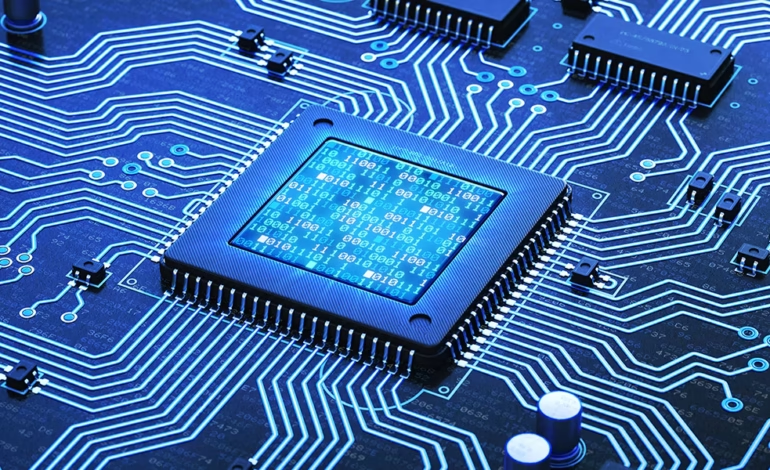
Every time you press the power button on your phone, laptop, or data center server, a silent, high-stakes handoff occurs in a fraction of a second. Before your operating system paints a single pixel on the screen, plays a startup sound, or loads a background service, an embedded snippet of code has to wake up the comatose hardware, run diagnostic checks, and find where the OS is hiding.
This critical component is the bootloader.
While it operates entirely behind the scenes, the bootloader is the foundation of your device’s security, its ability to run different operating systems, and its overall longevity. Whether you are dealing with a standard PC or the locked-down ecosystem of a modern smartphone, understanding the bootloader is key to knowing how computing platforms establish trust and control.
The Digital Bridge
At its most basic level, a bootloader is a small piece of permanent software that initializes a device’s hardware chips and launches the primary operating system.
When power first surges through a central processing unit (CPU), the processor wakes up completely blank. It doesn’t know how much RAM it has, where the storage drive is, or how to talk to a display. The CPU is hardwired to look at one specific, unchangeable memory address—usually located on a physical ROM or flash memory chip on the board—and run whatever instructions it finds there.
Those initial instructions belong to the bootloader.
The Boot Sequence Chain
The startup process works like a relay race where each runner is smarter and more capable than the last. If any link in this chain fails, your device becomes “bricked”—a pricey paperweight that can’t even realize it has an operating system installed.
| Stage | Name | What It Does |
| 1 | Power-On Reset (POR) | Electricity stabilizes across the board. The CPU clears its memory registers and points to its starting instructions. |
| 2 | Primary Bootloader | Baked directly into the silicon by the chip maker. It turns on basic memory controllers and finds the next code layer. |
| 3 | Secondary Bootloader | Configures external system RAM, verifies hardware integrity, and prepares a stable environment for complex software. |
| 4 | OS Kernel Handover | Loads the operating system’s core files into RAM, passes execution control over to it, and exits the scene. |
BIOS vs. UEFI vs. U-Boot
The type of bootloader a system uses depends on its architecture and what it is built to do. An enterprise server requires completely different capabilities than an IoT smart thermostat or a home laptop.
BIOS (Basic Input/Output System)
For decades, traditional PCs relied on the BIOS. Invented back in 1975, BIOS was built for old 16-bit processing environments with severe memory limits. It relies on the Master Boot Record (MBR) partition scheme, which caps storage drive sizes at 2 terabytes and limits systems to just four primary partitions. While mostly phased out on modern consumer machines, BIOS laid the technical groundwork for how PC booting worked for a generation.
UEFI (Unified Extensible Firmware Interface)
Modern PCs and servers have almost universally migrated to UEFI. Unlike its predecessor, UEFI runs in 32-bit or 64-bit modes, enabling a much more capable environment before the OS even starts. It supports the GUID Partition Table (GPT), which shatters old storage limits by allowing drives up to 9.4 zettabytes. UEFI is essentially a mini-operating system on its own, capable of driving network interfaces, parsing complex file systems, and showing graphical menus before your primary OS wakes up.
U-Boot (Universal Boot Loader)
In the embedded device space, ARM and RISC-V microprocessors rule. Here, Das U-Boot is the open-source standard. Devices like Wi-Fi routers, smart TVs, and single-board computers (like the Raspberry Pi) don’t have a standardized PC-style motherboard layout. U-Boot provides the highly customizable, lightweight framework needed to configure these diverse, specialized system-on-chip setups.
Architectural Breakdown
| Feature | Legacy BIOS | UEFI | Das U-Boot |
| Primary Architectures | x86 (16-bit) | x86, x64, ARM, RISC-V | ARM, MIPS, RISC-V, PowerPC |
| Drive Size Limits | MBR (Max 2TB) | GPT (Max 9.4 ZB) | Raw Flash, MBR, GPT |
| Security Features | None | Secure Boot, Measured Boot | Verified Boot (FIT Images) |
| Network Capabilities | Highly Limited | Full Network Stack | Built-in TFTP/DHCP support |
| Code Flexibility | Fixed assembly modules | C-based drivers | Modular, open source code |
The Secure Boot Battleground: Trust vs. Control
Over the past ten years, the bootloader’s job has evolved from a simple engineering utility into the front line of cybersecurity and digital rights management. This shift centers around Secure Boot, a verification step built into modern UEFI configurations and mobile devices.
Establishing a Root of Trust
Secure Boot stops malicious software from hijacking your device while it starts up. Before letting any code run, the bootloader checks the digital signature of the operating system against a database of trusted cryptographic keys stored securely on the motherboard.
| Step | Component | Verification Action |
| 1 | Hardware ROM | Hardcoded silicon verifies the Primary Bootloader. |
| 2 | Verified Bootloader | Bootloader wakes up and checks the OS Kernel’s digital signature against trusted hardware keys. |
| 3 | Signed OS Kernel | If the signature matches, the OS loads safely. If tampered with, the system halts. |
If a rootkit or an unauthorized user alters the operating system files on the drive, the signature check fails. The bootloader stops everything in its tracks and refuses to run the compromised code. This prevents persistent malware strains that old-school antivirus apps couldn’t catch because the malware used to load before the security software could even turn on.
Locked vs. Unlocked Bootloaders
While Secure Boot offers clear defense benefits, it creates a tricky dilemma about hardware ownership: When you buy a piece of hardware, who gets to decide what software runs on it?
-
Locked Bootloaders: Most smartphones and corporate laptops ship with locked bootloaders. They only accept software signed by the original manufacturer or approved partners (like Microsoft). This keeps things secure but locks you into a specific software ecosystem. It makes installing an alternative OS—like a privacy-focused Android ROM or a clean Linux distribution—impossible.
-
Unlocked Bootloaders: Enthusiast laptops and developer boards let you disable Secure Boot or add your own cryptographic trust keys. This flexibility lets you write custom software, deploy alternative operating systems, and keep hardware useful long after the manufacturer stops providing official updates.
Real-World Implementations
Looking at specific platforms shows how different tech ecosystems balance speed, flexibility, and security during startup.
GRUB2: The Linux Standard
The Grand Unified Bootloader version 2 (GRUB2) is the default choice for almost every major Linux distribution. It is incredibly robust and can read dozens of file systems out of the box. GRUB2 provides a text menu when you turn on your machine, letting system administrators pass custom arguments to the Linux kernel on the fly, drop into a recovery shell, or dual-boot multiple operating systems from the same drive array.
Android’s Multi-Stage Startup
Android devices use a highly structured startup sequence tuned for speed and safety. Because phones don’t have a standardized BIOS layer, every phone chipset uses a custom setup:
-
Boot ROM: Etched into the main chip; turns on the primary CPU cores.
-
Bootloader Stage 1: Loads from storage; gets the basic display working.
-
Verified Boot (AVB): Checks the integrity of the Linux kernel image.
-
Recovery Mode Check: Checks if you are holding down a physical button combination to redirect the phone into a recovery menu for maintenance or factory resets.
Apple Silicon: A Custom Pipeline
When Apple transitioned Macs to their own M-series chips, they dropped traditional UEFI rules completely.
Apple Silicon uses a proprietary multi-stage boot layout borrowed heavily from the iPhone. The hardware starts up from a read-only Boot ROM, which validates a Low-Level Bootloader (LLB), which then verifies the Main Bootloader (iBoot).
Apple’s approach stands out because it allows users to change security policies on a per-OS basis through Recovery Mode. This means you can run third-party kernels on an external drive while keeping your primary internal system drive locked down under tight hardware security.
Common Fault Points: Fixing Startup Failures
Because bootloaders bridge physical components and digital software, failures here are jarring. Instead of clean user interfaces, you get cryptic text strings.
“No Bootable Device Found”
On PCs, errors like No bootable device found or Error loading operating system usually point to one of three common issues:
-
Corrupted Boot Data: The bootloader’s lookup map was scrambled by a sudden power loss or a failing storage drive.
-
Partition Layout Mismatch: A computer set up for modern UEFI booting is trying to read an old MBR-formatted drive, causing a communication breakdown.
-
Hardware Delays: The physical controller for your SSD or hard drive didn’t turn on fast enough to respond within the time window the bootloader expected.
Enterprise Troubleshooting
In data centers or development labs, fixing a broken boot stage can’t rely on plugging in a standard monitor. Engineers connect directly using a serial interface or an IPMI (Intelligent Platform Management Interface) network tool. This lets them type commands straight into the bootloader environment before the operating system or regular network drivers, even exist.
Where Boot Firmware is Heading
The traditional boundaries of the bootloader are shifting. As cloud computing scales and edge devices spread, the industry is moving toward faster, more transparent boot systems.
Coreboot and Open Firmware
Proprietary UEFI software often suffers from code bloat, old compatibility baggage, and unpatched security bugs. This has led major tech players like Google and Meta to back Coreboot.
Coreboot is a stripped-down, open-source alternative. It does the bare minimum needed to turn on the physical hardware, then immediately passes control to a lean payload like Linux. This approach slashes server boot times from minutes down to seconds and reduces the amount of code open to security exploits.
Confidential Computing
In cloud data centers, businesses want to be certain that the physical server hosting their virtual machines hasn’t been secretly tampered with.
Modern bootloaders tie directly into hardware chips called Trusted Platform Modules (TPMs) to offer Remote Attestation. As the system boots, each stage measures the cryptographic signature of the next and logs it in the TPM. The cloud platform can then show an unalterable proof to a remote user, proving the physical server booted using untampered, pristine software.
The Core Issue: Who Owns Your Hardware?
The history of the bootloader reflects a broader struggle over digital independence. In the early days of personal computing, hardware was an open canvas. You bought a machine, and you had final say over every single instruction sent to the processor. Today, in the name of protecting users from complex cyber threats, hardware platforms are steadily closing off.
Locked bootloaders and hardware-enforced roots of trust absolutely protect millions of everyday users from bad malware infections. But the tech industry has to strike a balance. When we lose the option to control or modify the bootloader on our devices, we don’t fully own the hardware anymore; we are just renting its utility from the company that built it. Keeping a path open for developers, hobbyists, and owners to unlock their bootloaders and manage their own security keys isn’t just a niche preference—it’s essential for fixing our own gear, keeping old electronics out of landfills, and maintaining control over our digital tools.